Your firm's detail library,
organized by AI.
ArqDetails reads your existing architectural details, extracts the important information, creates searchable records, identifies related and duplicate details, and helps your team review, compare, and standardize details faster.
7-day free trial, no payment required. Built for architecture firms that want to save time, reduce rework, and preserve office knowledge.
View Demo Firm — no signup required. Read-only demo.
Detail Library
142 details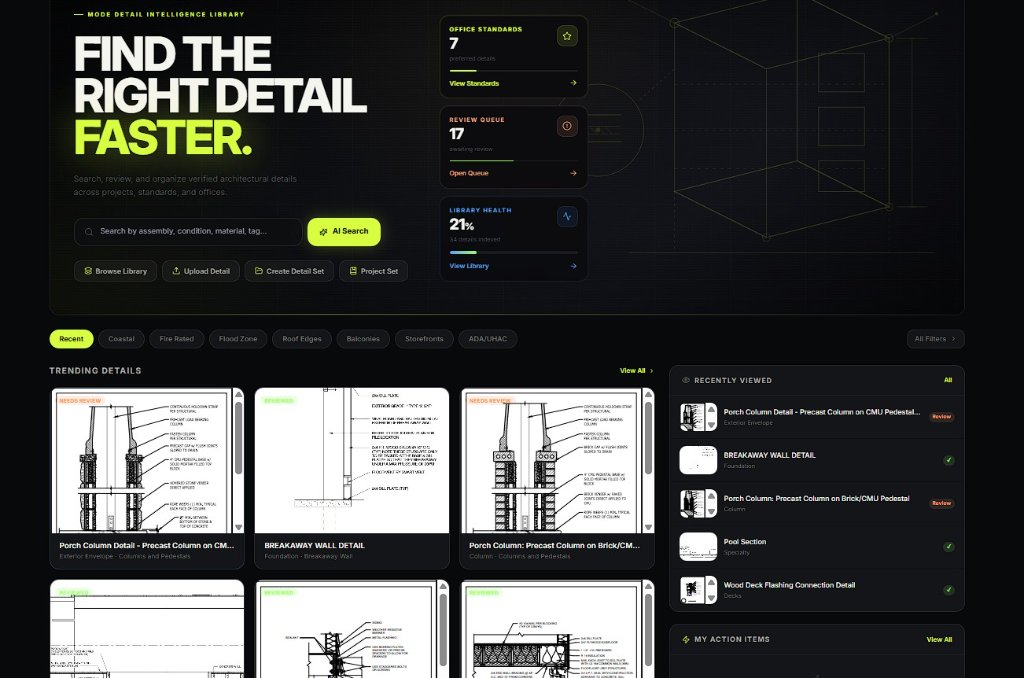
Parapet Cap Detail
Exterior Envelope
Reviewed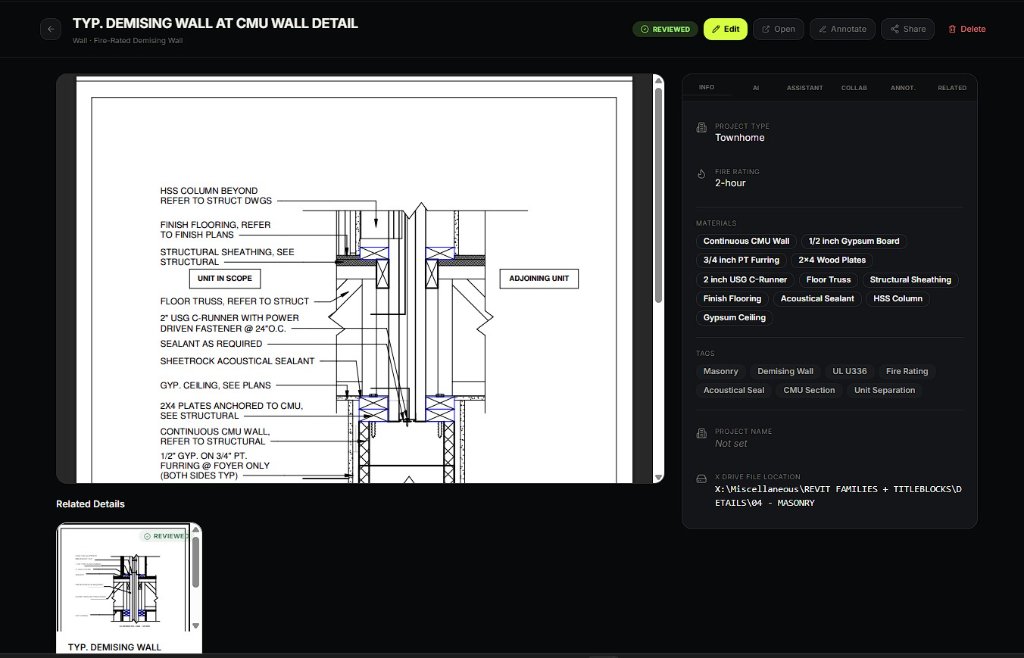
Roof Edge Condition
Roofs
Active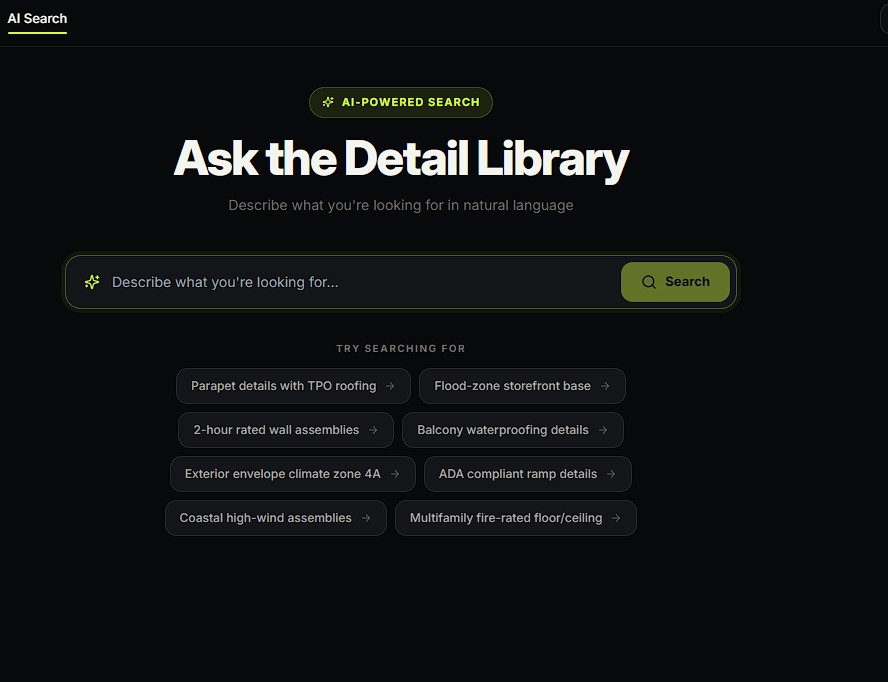
Flood Zone Slab
Flood Zone
Review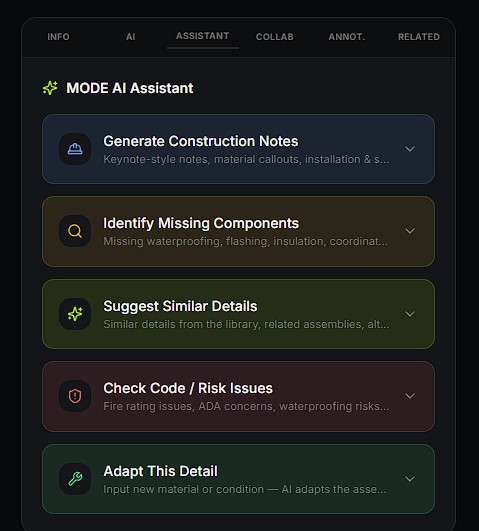
2-Hr Fire Rated Wall
Fire Rated
Reviewed4 team members online
See ArqDetails in Action
Quick walkthroughs of how teams organize, search, and reuse architectural details.
Finding the right detail with AI Search
Building a detail set
Adding details to your library with AI
Collaborating with your team
Why ArqDetails
Stop digging through old PDFs,
folders, and drawing sets.
ArqDetails turns scattered detail files into a searchable AI-powered knowledge system for your firm.
AI reads your details
Upload PDFs, detail sheets, images, or cropped details. ArqDetails analyzes the content, identifies the assembly, extracts notes, detects materials, and creates a structured record for each detail.
Every detail becomes searchable
Search by construction condition, material, fire rating, waterproofing strategy, project type, detail number, tags, or plain language — not just file name.
AI compares similar details
Compare details side by side and understand differences in materials, assemblies, waterproofing, risk, and best use cases.
Duplicates and variants are connected
ArqDetails identifies exact duplicates, related details, older versions, and similar variants so your team can review, link, archive, or mark preferred standards.
Missing information gets flagged
ArqDetails can help identify missing or unclear items such as flashing, waterproofing notes, fire-rating references, insulation continuity, slope/drainage logic, coordination notes, or manufacturer requirements.
Reviews become part of the library
Use AI review tools, firm markups, comments, approvals, and review queues to improve details over time and turn your best project details into reusable firm standards.
Process
From uploaded detail to searchable firm knowledge.
Upload your existing details
Add PDFs, detail sheets, images, Revit exports, or cropped details from past projects.
AI extracts the important information
ArqDetails reads the detail, identifies the assembly, extracts visible notes, recognizes likely materials, and suggests categories, tags, summaries, and review items.
Details are logged into your firm library
Each extracted detail becomes its own searchable record with a thumbnail, metadata, AI summary, tags, source information, and review status.
Compare, review, and standardize
Your team can compare related details, identify duplicates, mark up revisions, assign reviews, approve preferred standards, and build reusable detail sets for future projects.
AI Capabilities
What AI does inside ArqDetails
AI supports the review process, but final architectural judgment remains with the firm.
Reads uploaded detail sheets and cropped detail images
Extracts visible notes, materials, and assembly information
Suggests tags, categories, summaries, and metadata
Creates searchable detail records
Identifies duplicates, variants, and related details
Compares details and explains differences
Flags missing or unclear elements
Helps review waterproofing, fire-rating, coordination, and constructability risks
Recommends related details and preferred standards
Helps convert firm knowledge into reusable detail sets
AI supports the review process, but final architectural judgment remains with the firm.
Time Savings
Where architecture firms save time
ArqDetails reduces the time spent searching, rebuilding, reviewing, and re-explaining details across your office.
Faster detail search
Stop asking, "Where did we use that detail before?" Search your firm's library in seconds.
Less duplicate drafting
Find similar or approved details before redrawing the same condition again.
Cleaner standards
Identify preferred details, archive outdated versions, and keep your team working from the right information.
Faster onboarding
New staff can search, understand, and reuse firm knowledge without relying only on tribal memory.
Better QA/QC
AI can help flag missing information, unclear conditions, related details, and items that need review.
More consistent projects
Project teams can build detail sets from approved firm knowledge instead of starting from scratch.
Firm Workspace
Private · Isolated · Secure
Firm A
142 details · 8 members
Firm B
87 details · 5 members
Your Firm
0 details · 1 members
Privacy + Security
Every firm gets its own private ArqDetails workspace.
Each firm's details, standards, comments, users, reviews, and AI search results stay inside that firm's private workspace.
Private firm detail library
Firm-specific users and roles
Firm-specific standards
Firm-specific AI search
Firm-specific review history
Firm-specific Office Hub
"Designed for architecture firms that want to protect and organize their internal knowledge."
Create Your Firm WorkspacePricing
Simple pricing for architecture firms.
Start with a 7-day free trial. ArqDetails is priced per user with a 2-user minimum.
2-user minimum · $50/month minimum
For architecture firms ready to organize, search, review, and standardize their detail libraries with AI.
Everything included:
Start with a 7-day free trial — no payment required. Subscribe before the trial ends to keep full access.
FAQ
Common questions
What is ArqDetails?
Is ArqDetails only for one firm?
Can other firms see our details?
Is billing active yet?
Can AI create details for us?
Can we upload PDFs with multiple details?
Can we invite our team?
Get Started Today
Turn your existing details into an AI-searchable firm library.
Start with the drawings and details you already have. ArqDetails helps organize, review, and standardize them into a smarter office knowledge system.